
Kajabi Course Backup Tool
Back up every lesson, video, thumbnail and download from your Kajabi school, organized by course and category.
Visit siteBack up your Kajabi courses to your computer or Google Drive with a dedicated course backup tool made for Kajabi.
Watch the Kajabi course backup in actionA one-minute walkthrough of the Kajabi course backup tool, from clicking Back up courses to a finished backup you can resume.
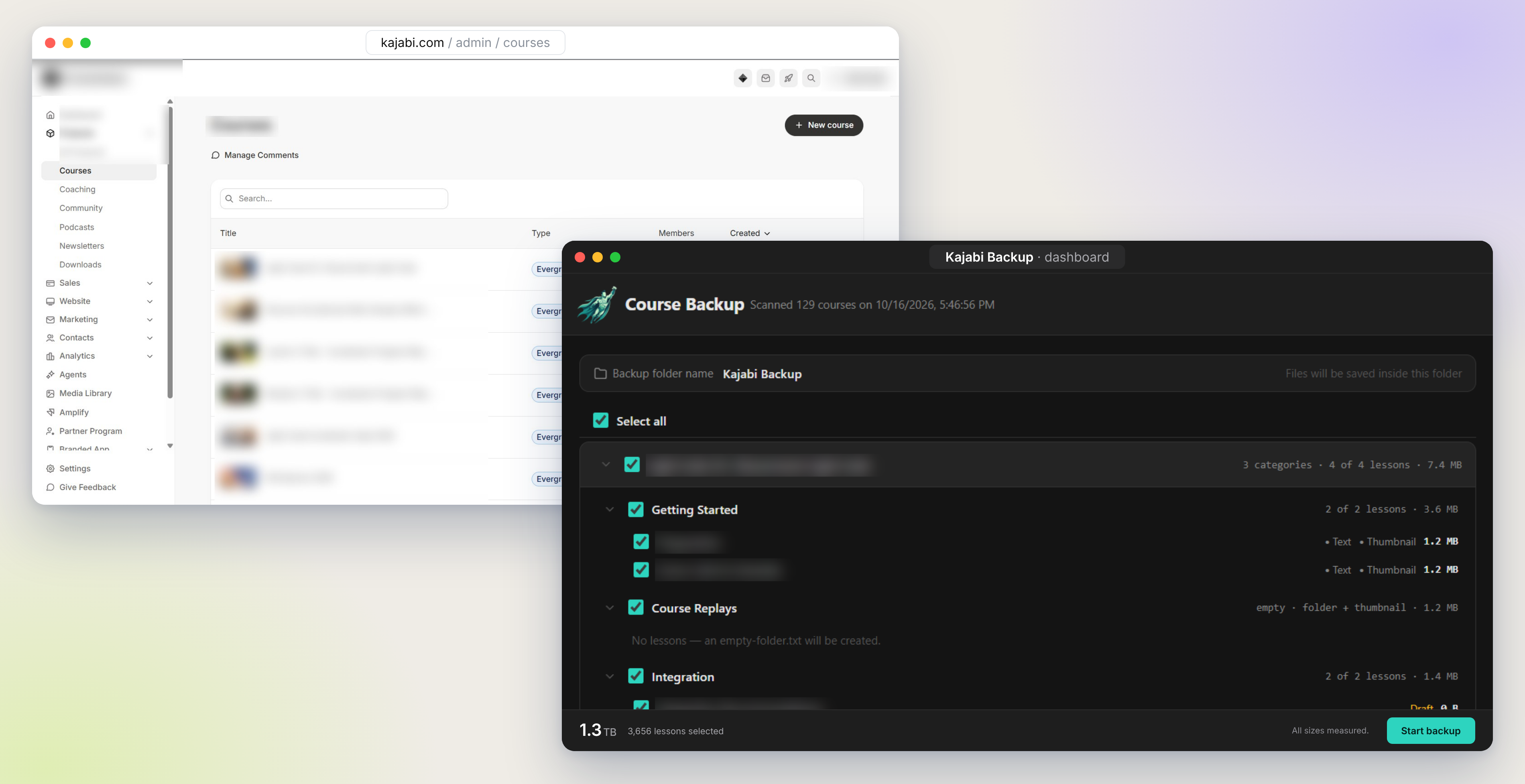
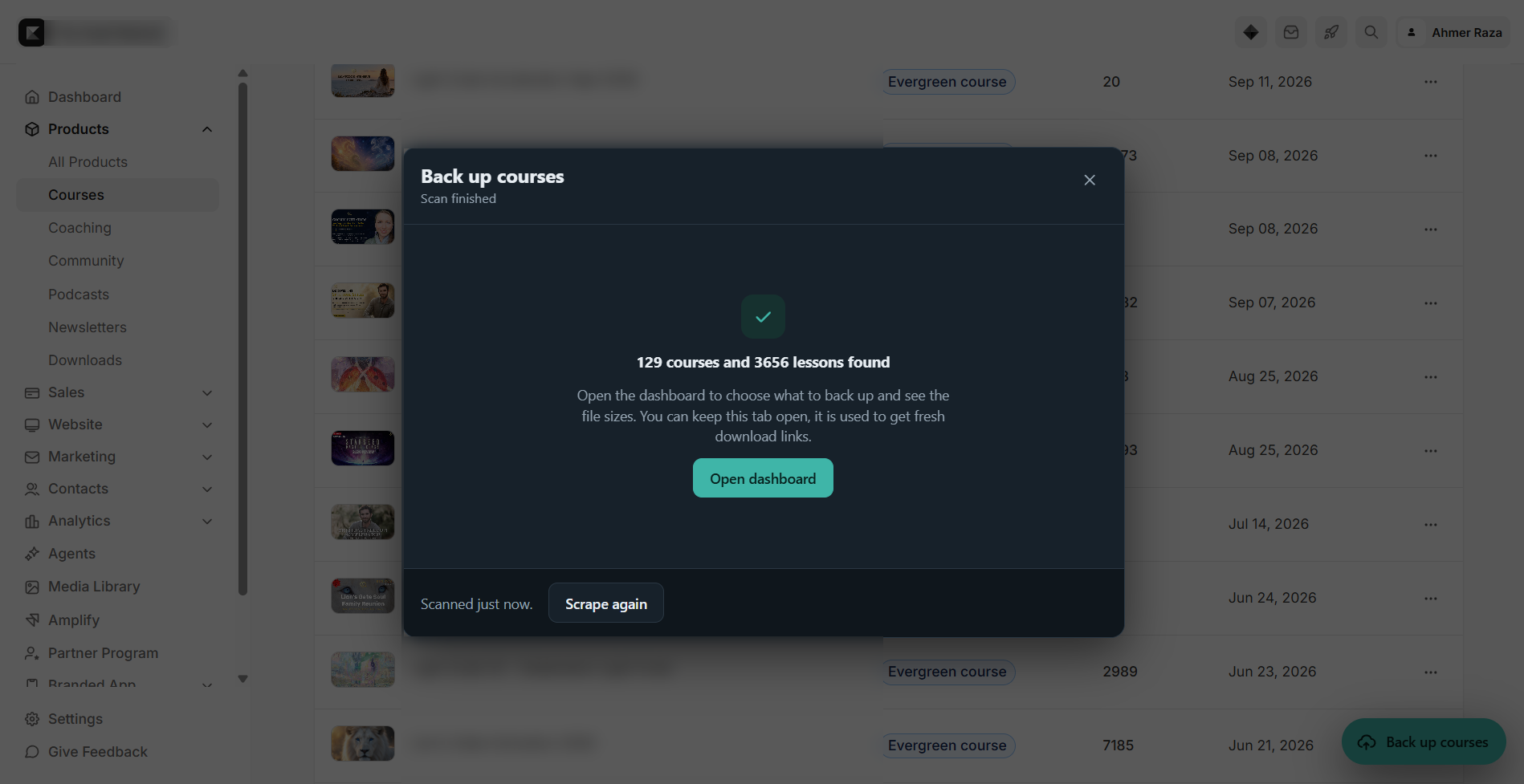
Open your Kajabi account, link it once and click Back up courses. Course Backup records every course, lesson and file. Nothing is downloaded yet.
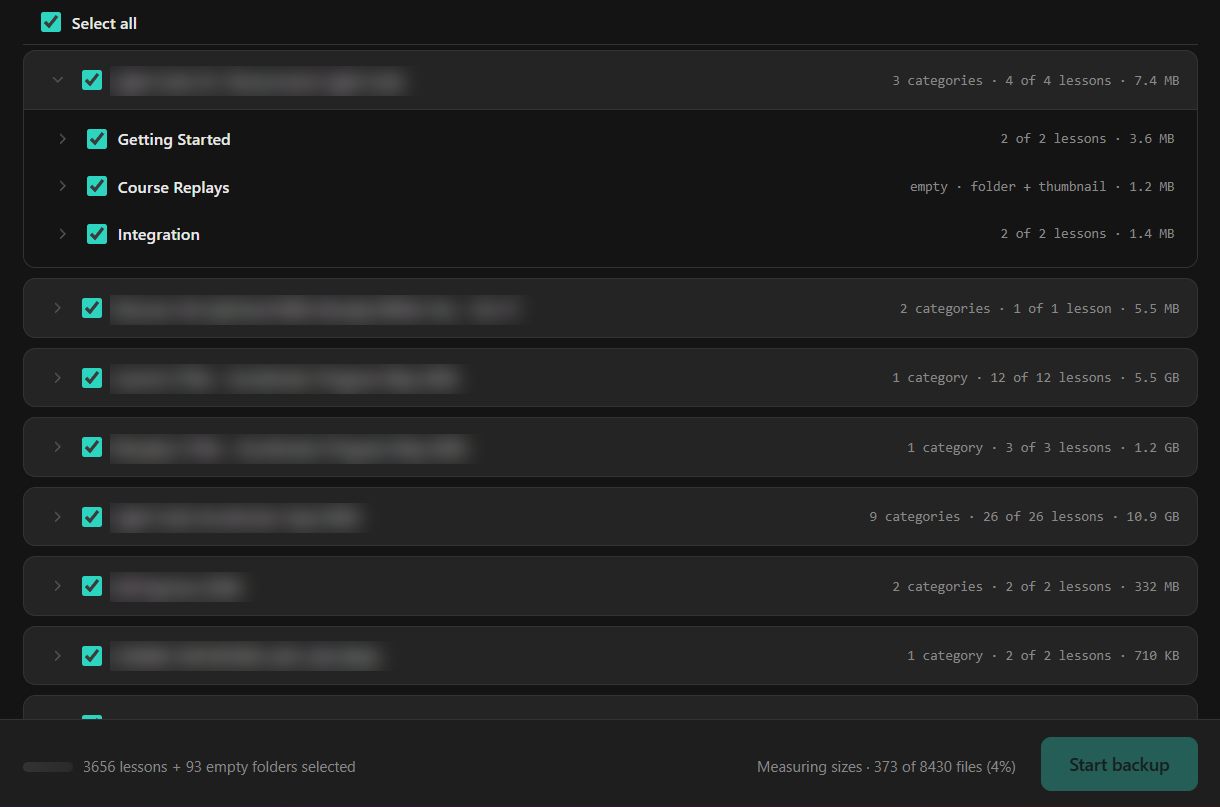
Course Backup works out the size of every course, category and lesson, so you know how much space you need. Then tick what you want to keep.
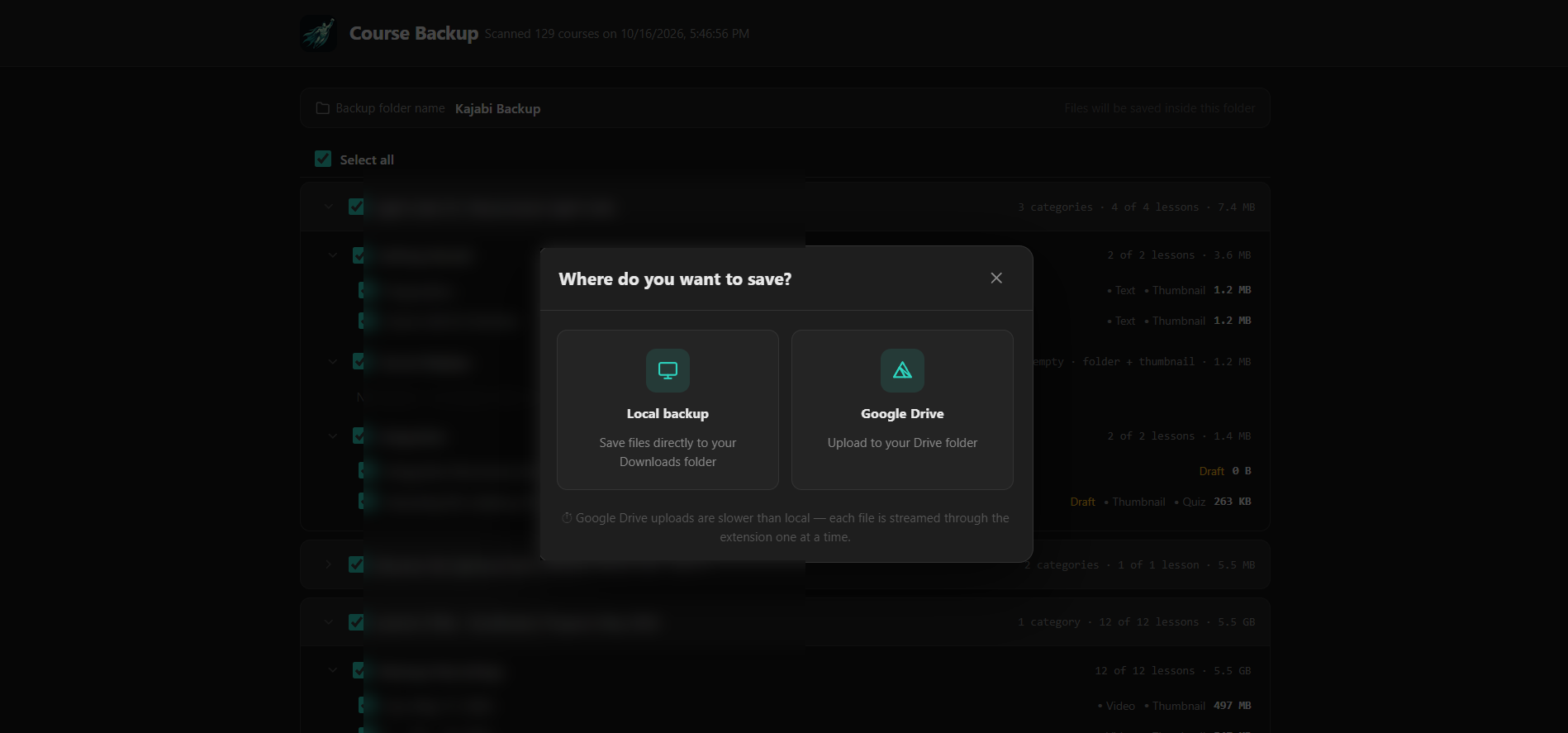
Save to your own Google Drive, or save to your computer. For your computer, type a name for the backup folder. It is created in your Downloads folder. The backup runs while you get on with your day.
Lessons are ticked off as they are saved. Each one keeps its video, text, downloads and thumbnail, in folders that follow your courses and categories.
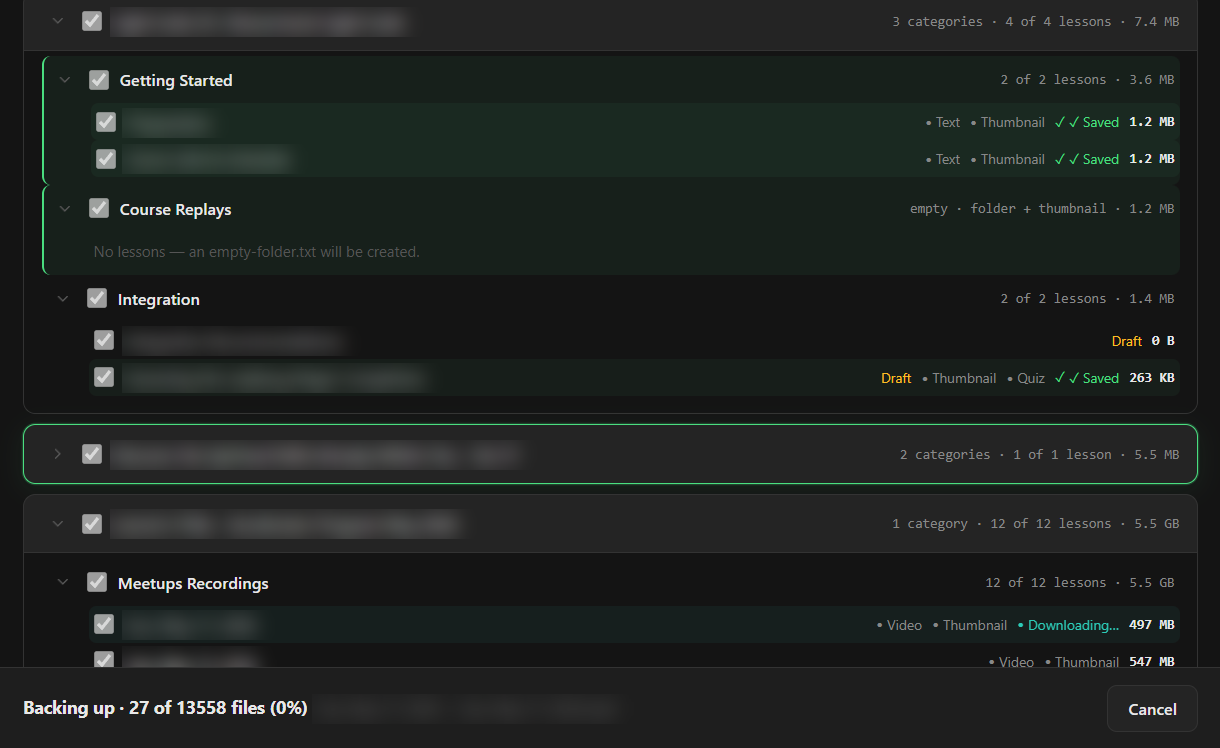
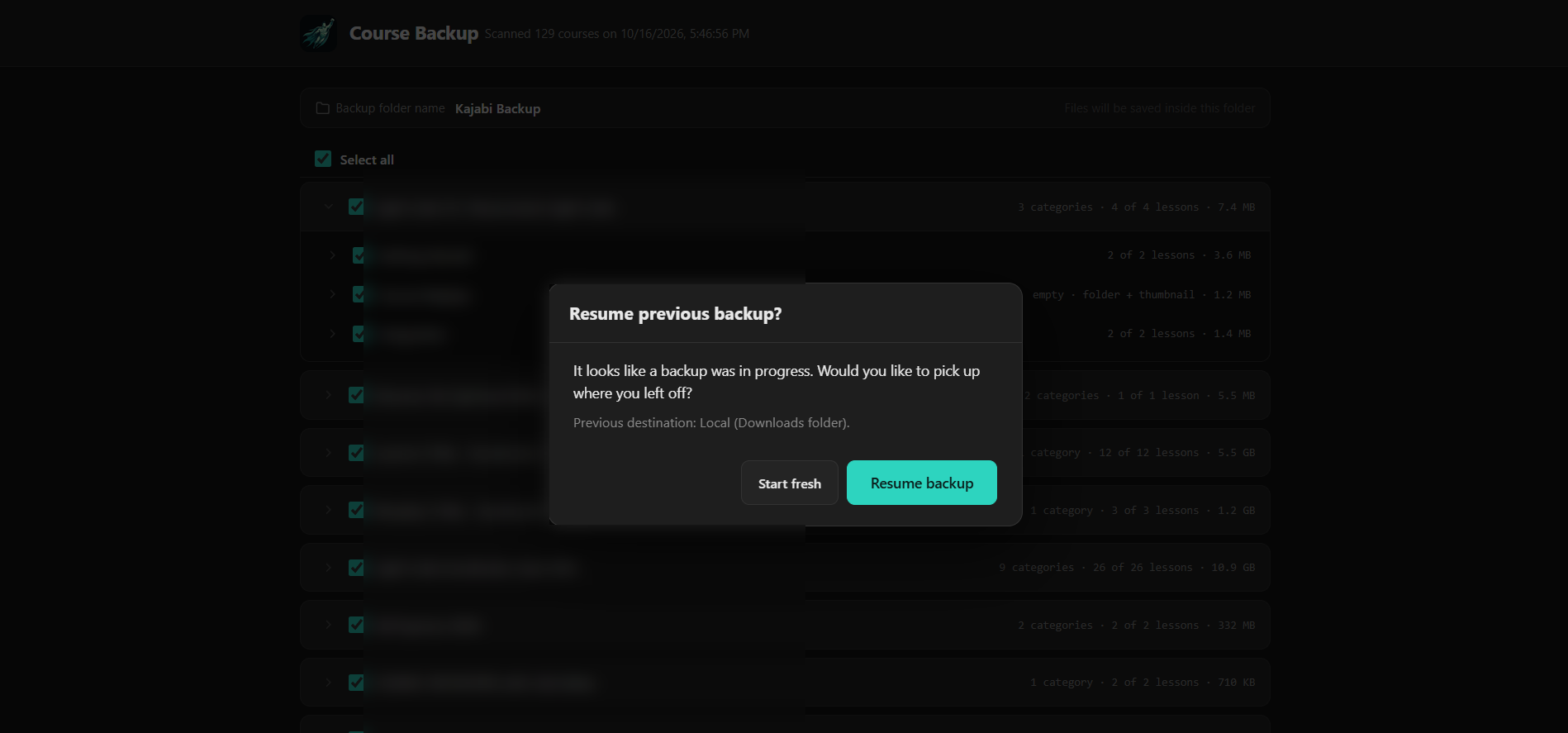
Close the laptop, lose your connection or restart the browser. Course Backup remembers what was already saved and offers to resume.
The first time you open Back up courses, you link that Kajabi account to your Course Backup account. It takes one click.
A linked account has no limit on backups, courses or lessons. Run it as often as you need.
Your first purchase includes one connection. Need another Kajabi account? Buy extra connections and manage them from your existing account.
Buy your first connection to get started. Need more later? Add extra connections to the account you already have. These are introductory prices and will go up as we add features.
Your first connection. Link one Kajabi account and back it up as often as you like.
Manage another Kajabi account from your existing Course Backup account.
Videos and files go from Kajabi to your computer or your Google Drive. We never see them and we never store them.
For Drive, Course Backup can only reach the files and folders it creates. It cannot open the rest of your Drive.
More tools to help you move, back up and build faster.
Back up every lesson, video, thumbnail and download from your Kajabi school, organized by course and category.
Visit site
Keep a copy of your Kartra membership: lessons, text, images, videos, audio and downloads.
Visit site
Kajabi's first AI page studio. Make AI-generated pages feel native to Kajabi, with real forms, offers and scheduling widgets.
Visit site
Move your Kajabi pages, forms and blogs into GoHighLevel in minutes, with images and layout carried over.
Visit site
A Chrome extension that copies your Kartra pages into the HighLevel builder in minutes, with images included and every page fully editable.
Visit siteKajabi. Course Backup is made for Kajabi courses, lessons, videos and files.
Into your own Google Drive, or into a folder in your computer's Downloads folder. You choose the folder's name, not its location, because browser extensions cannot browse your computer's folders. Nothing is uploaded to our servers.
It depends on your internet speed and how much you are saving. A large course library can take many hours or days, and a backup can be stopped and resumed. Google also limits uploads to Drive to about 750 GB a day, so saving to your computer is the faster choice for very large course libraries.
Yes. Keep the Kajabi tab open while it scans, and keep the Course Backup dashboard open while it saves. If something interrupts the backup, resume it from where it stopped.
No. It works inside the session you are already signed in to.
No. Each Course Backup account is linked to the Kajabi accounts you connect. The extension only works on those accounts, so a backup tool you buy cannot be pointed at someone else's courses.
As many as you like. Once an account is linked, you can back it up as often as you need, with no limit on courses or lessons.
Yes. Your first purchase includes one connection, which links one Kajabi account. You can buy extra connections and manage them from your existing Course Backup account.
Any browser that supports Chrome extensions, including Chrome, Brave and Edge.